Quick take
We break down who this device is best for, what it measures, and how it compares in the market.
How to Prevent Skin Irritation From Overnight Oxygen Monitor Rings (2026)
Key Takeaways
- Proper fit and micro-adjustments are crucial for comfort and to prevent skin irritation from overnight oxygen monitor rings.
- Rotate fingers and schedule wear time to allow skin recovery and reduce soreness risk.
- Choose hypoallergenic ring materials and use gentle barrier products to minimize allergic reactions.
- Regular cleaning of your device helps prevent bacterial and fungal build-up (a major source of skin issues).
- Pay attention to early signs of irritation—adjust your routine quickly to avoid worsening skin issues.
Introduction
Overnight oxygen monitor rings have become a mainstay for home sleep tracking and wellness-minded users. These compact devices, like the Wellue O2Ring family, make it possible to track blood oxygen and heart rate trends all night, offering insights that were once limited to sleep labs. But with nightly wear, many users experience skin irritation—anything from mild redness to persistent finger soreness or, rarely, allergic reactions.
If you’re using an oxygen ring for overnight monitoring, protecting your skin is just as important as capturing accurate data. Here’s how to keep your finger comfortable and healthy—night after night.
Understanding Oxygen Monitor Rings and Skin Irritation
How Oxygen Monitor Rings Work for Overnight Tracking
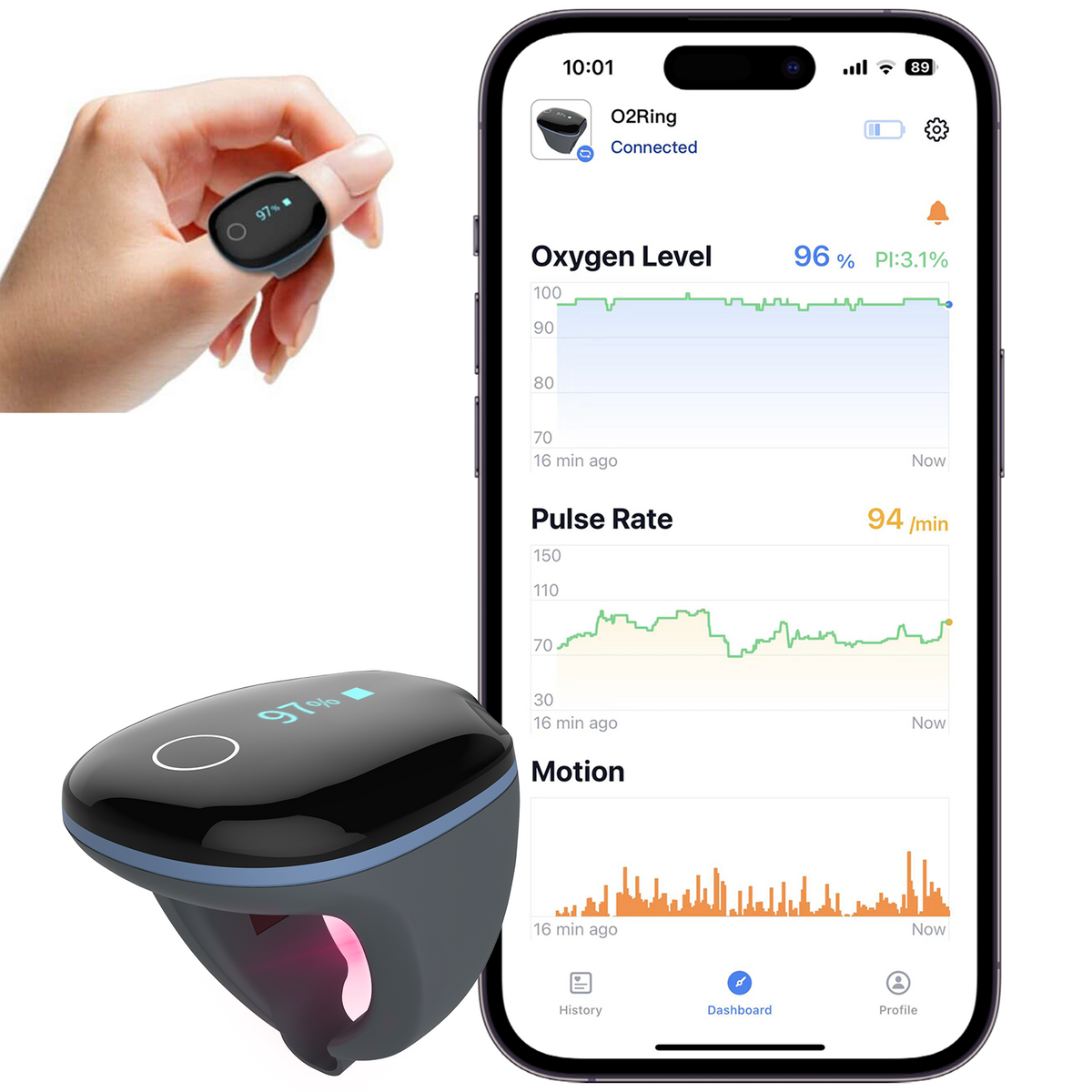
Oxygen monitor rings, such as the O2Ring Continuous Ring Oxygen Monitor, are designed to be worn on your finger throughout the night. They use light sensors to track your SpO2 (blood oxygen saturation) and pulse rate, syncing data to an app for easy review. Because they’re in close, continuous contact with your skin, comfort and material choice become key factors in preventing irritation.
Types of Skin Issues: Soreness, Redness, and Allergic Reactions
Most skin issues with overnight oxygen rings fall into three categories:
- Soreness/Pressure Marks: Often caused by a too-tight fit or prolonged pressure.
- Redness/Irritation: Can result from sweat, trapped moisture, or friction.
- Allergic Reactions: Rare, but possible if you are sensitive to the ring material or residue from cleaning agents.
Why Fit and Material Matter for Comfort
A snug but not constricting fit is vital. If the ring is too tight, you risk pressure soreness and impaired circulation. Too loose, and the device may shift, causing friction and inaccurate readings. Material matters, too—hypoallergenic silicone or coated plastics are best for most users, minimizing the chance of a reaction.
Fit Micro-Adjustments: The Foundation of Comfort
Choosing the Right Size for Your Finger
Start by measuring your finger circumference. Devices like the Oxygen Monitor for Small Fingers are designed specifically for those needing a smaller fit (40–52mm). A ring that matches your finger size will stay put without squeezing, which is the best first step for oxygen ring finger soreness prevention.
How to Micro-Adjust Your O2 Ring for Optimal Fit
Many rings are made from flexible materials. Try these o2 ring fit tips for overnight wear:
- Wear on a finger where the ring sits snugly but doesn’t leave an indentation after 10 minutes.
- If your device comes with multiple ring sizes, try each for several minutes before bedtime to find the most comfortable option.
- Switch fingers if you notice soreness or swelling; your non-dominant hand often works best.
Tips for Preventing Oxygen Ring Finger Soreness
- Never force the ring on or off; gentle sliding reduces micro-tears and irritation.
- If your skin is dry or sensitive, apply a thin layer of fragrance-free moisturizer well before bed (let it fully absorb before ring placement).
Wear-Time Scheduling and Skin Recovery
Balancing Continuous Monitoring With Skin Health
Continuous overnight monitoring doesn’t mean 24/7 wear. Your skin needs a break to breathe and recover. Limit use to night hours, and remove the ring during daytime unless your care team instructs otherwise.
Best Practices: Rotating Fingers and Limiting Daytime Wear
- Rotate between at least two fingers when using the device nightly. This allows any mild redness or pressure to fade before the next use.
- Give your skin a full day off if you notice any persistent marks or soreness.
Recognizing Early Signs of Pressure and Soreness
Look for redness, lasting imprints, or tingling after removing the device. These are early warnings—address them by adjusting fit or switching fingers before irritation worsens.
Skin-Barrier and Hypoallergenic Practices
Using Barrier Creams and Skin-Friendly Products
A thin barrier cream (such as a petrolatum-based ointment) can help, especially for those with sensitive skin. Apply sparingly and ensure it’s fully absorbed before donning the ring to avoid interference with sensor function. This is a simple but effective strategy for oxygen ring finger soreness prevention, particularly with nightly use.
Selecting Hypoallergenic Options for Pulse Oximeter Rings
If you’re prone to allergies, opt for rings made from medical-grade silicone or hypoallergenic plastics. The Wellue O2Ring and its small-finger variant are both designed with skin-friendly materials, making them strong hypoallergenic options for pulse oximeter rings.
Keeping the Skin Clean and Dry Before Use
Wash your hands and dry your finger thoroughly before putting on the device. Sweat and residue can contribute to irritation and impact sensor accuracy.
Device Cleaning and Maintenance for Skin Safety
How to Properly Clean Your Oxygen Monitor Ring
Wipe the ring with a mild soap solution or alcohol wipe after each use. Avoid harsh chemicals or soaking, which can degrade materials and leave irritating residues. Follow your device’s user guide for specific cleaning instructions.
Preventing Bacterial and Fungal Build-Up
Regular cleaning is non-negotiable. Bacteria and fungi thrive in warm, moist environments—precisely what’s under a ring worn all night. Clean devices reduce your risk of skin reactions and ensure reliable readings.
When to Replace or Rotate Your Device
If your ring develops cracks, discoloration, or persistent odors, it’s time to replace it. For frequent users, consider owning two devices (as with the O2Ring dual pack) so you can alternate and allow each ring to air dry completely.
What to Do If You Experience Skin Irritation
Immediate Steps for Relief
- Remove the ring and gently wash the area with lukewarm water.
- Apply a fragrance-free, gentle moisturizer or barrier ointment if needed.
When to Pause Use or Seek Medical Advice
If redness, swelling, or discomfort persists for more than a day, pause use and consult a qualified healthcare provider. Persistent or worsening symptoms may need professional assessment.
Switching to Alternative Devices or Wearing Styles
If you cannot resolve irritation through micro-adjustments and skin care, consider an alternative style such as a wrist-based oximeter. Some users find these provide adequate data with less finger contact.
Who This Is For
This guide is for anyone who relies on overnight oxygen monitoring and wants to maximize comfort—whether you’ve just started using an O2 ring or have struggled with finger soreness or redness. It’s especially relevant for those with sensitive skin, known allergies, or a history of device-related skin issues.
Summary: Creating a Comfortable, Safe Overnight Monitoring Routine
Overnight oxygen monitor rings are powerful wellness tools, but their benefits shouldn’t come at the expense of your skin. A well-fitted device, thoughtful wear-time routine, hypoallergenic practices, and steady cleaning habits will keep your monitoring data reliable—and your finger comfortable. Pay attention to your body’s signals, and make adjustments as soon as you spot early signs of irritation.
If you’re unsure which ring is best, start with a model that matches your finger size and offers proven comfort—like the Wellue O2Ring for most adults, or the Oxygen Monitor for Small Fingers if standard rings are too loose. Those who want uninterrupted monitoring can benefit from owning two devices for rotation.
FAQs
- What are the best tips for preventing finger soreness from oxygen monitor rings used overnight?
See our checklist above, focusing on fit, rotation, and gentle skin care for oxygen ring finger soreness prevention. - Are there hypoallergenic options for overnight oxygen monitor rings?
Yes—devices made from medical-grade silicone or hypoallergenic plastics, like the Wellue O2Ring series, are designed to minimize reactions. - How can I safely clean my oxygen monitor ring to avoid skin reactions?
Wipe with a mild soap solution or alcohol wipe after each use; avoid harsh chemicals and let the ring air dry completely. - Is it okay to use barrier creams under an O2 ring for overnight use?
Yes—just ensure the cream is fully absorbed before putting on the ring, and use only fragrance-free, non-greasy formulas. - What should I do if my finger becomes red or irritated after wearing my oxygen monitor ring?
Remove the ring, cleanse and moisturize your skin, and pause use until symptoms resolve. Consult a healthcare provider if irritation persists.
Recommended Products
-
O2Ring Continuous Ring Oxygen Monitor
Best for most adults seeking reliable overnight SpO2 data and vibration alerts. Its medical-grade silicone design is gentle on the skin, but some users may need to experiment with finger choice for optimal comfort. Ideal if you want continuous monitoring and easy app syncing.
-
 Oxygen Monitor for Small Fingers
Tailored for users with slender fingers or those who find standard rings too loose. Its secure fit reduces slippage and friction, though comfort still depends on user sensitivity. A strong pick for children, petite adults, or anyone struggling with ring fit issues.
Related Guides and Next Steps
- Device Cleaning and Maintenance for Home Health Technology