
Introduction: Understanding the Challenge of False Low Oxygen Alarms
Reliable overnight oxygen monitoring empowers people managing sleep apnea, COPD, or using oxygen therapy to sleep with confidence. But when your monitor wakes you with a low oxygen alarm—only to show normal levels moments later—it’s more than an inconvenience. False alarms undermine trust, interrupt sleep, and can even mask real issues if you start ignoring alerts. Accurate readings matter, whether you’re using a ring monitor like the Wellue O2Ring, a wrist oximeter, or a portable oxygen concentrator with alarm features.
Key Takeaways
- Proper fit and placement of your monitor are the #1 way to reduce false low oxygen alarms.
- Movement, temperature, and device quirks all play a role in false readings—troubleshoot methodically.
- Understanding your report data helps you tell real oxygen drops from sensor artifacts.
- If false alarms persist or you feel unwell, seek professional advice—don’t just ignore the alerts.
- Routine cleaning, battery care, and the right device choice support long-term reliability.
Root Causes of False Low Oxygen Alarms
Device Fit and Sensor Placement Issues
The vast majority of false alarms start with an improperly sized or placed device. A loose ring or oximeter loses contact, while a too-tight fit impairs circulation and distorts readings. Consider your finger size—devices like the Oxygen Monitor for Small Fingers are designed for smaller hands, minimizing slippage and missed signals.
Movement Artifacts and Sleep Activity
Tossing, turning, or even minor finger movement can disrupt the light signal these devices use. Nighttime position changes, restless sleep, or external vibration (like from a CPAP machine) can all contribute to momentary false drops in reported oxygen.
Device-Specific Sensitivity and Algorithm Differences
Not all monitors filter out noise the same way. Some prioritize sensitivity to catch every real drop but at the expense of more false alarms. Understanding your model’s reputation and how it handles short-lived drops (the oxygen desaturation index meaning) is key. Devices with adjustable alarm thresholds can help tailor sensitivity to your needs.
Environmental and External Factors
Cold fingers, bright ambient light, altitude, and even sweating can throw off readings. If your bedroom is cold, your skin’s blood flow drops, making it harder for the sensor to read accurately. Similarly, direct sunlight or bright bedside lamps may interfere with optical sensors.
Step-by-Step Troubleshooting Flow
Safe Initial Checks: Ensuring Proper Device Application
- Check the monitor’s fit—should be snug but not tight. If your device offers multiple sizes, try another.
- Place the sensor on a clean, dry finger (free of nail polish or lotions).
- Warm up cold hands for a few minutes before applying the monitor.
- Make sure the device is fully charged and properly powered on.
Quick Fixes You Can Try Immediately
- Switch fingers—some people get better readings on their thumb or middle finger.
- Reposition the device if you notice alarms after a movement.
- Reduce sources of vibration or light near your bed.
- Update your device firmware if an update is available.
- Check for debris or smudges on the sensor window and clean according to the manual.
When to Escalate: Persistent False Alarms and Medical Guidance
If you’ve double-checked fit and tried all quick fixes but still get frequent false low oxygen alarms, it’s time to escalate. Bring your recorded data to your healthcare provider, especially if any real symptoms (like shortness of breath or confusion) accompany the alerts.
Optimizing Device Setup to Minimize False Alarms
How to Choose the Right Oxygen Monitor Ring Size for Accurate Readings
Measure your finger circumference and compare it to the manufacturer’s sizing guide. For fingers 40–52 mm (1.57"–2.05") around, a model like the Oxygen Monitor for Small Fingers offers a stable fit. Too loose, and you’ll see dropouts; too tight can cause discomfort and unreliable numbers.
Wearing Guidelines for Overnight Oxygen Monitoring
- Wear your monitor on the non-dominant hand to cut down on movement artifacts.
- If using a ring, place it so the sensor aligns directly over the nail bed.
- Check that the device still feels secure after 10–15 minutes of wear.
Comparing Oxygen Monitor Ring vs. Wrist Oximeter for Stability
Rings like the O2Ring tend to move less than finger-tip clip oximeters, which can slip off during sleep. Wrist models offer more stability but may not be as comfortable for everyone. Try both if persistent alarms are an issue—sometimes a simple device switch solves the problem.
Understanding and Interpreting Oxygen Monitoring Reports
Oxygen Desaturation Index Meaning: Spotting Real vs. False Drops
The oxygen desaturation index (ODI) counts how many times per hour your oxygen drops by a set percentage. Single, brief drops may be artifacts, especially if not associated with symptoms or if occurring only when you move. Repeated, significant drops should be taken seriously.
Using App and Device Data to Confirm Patterns
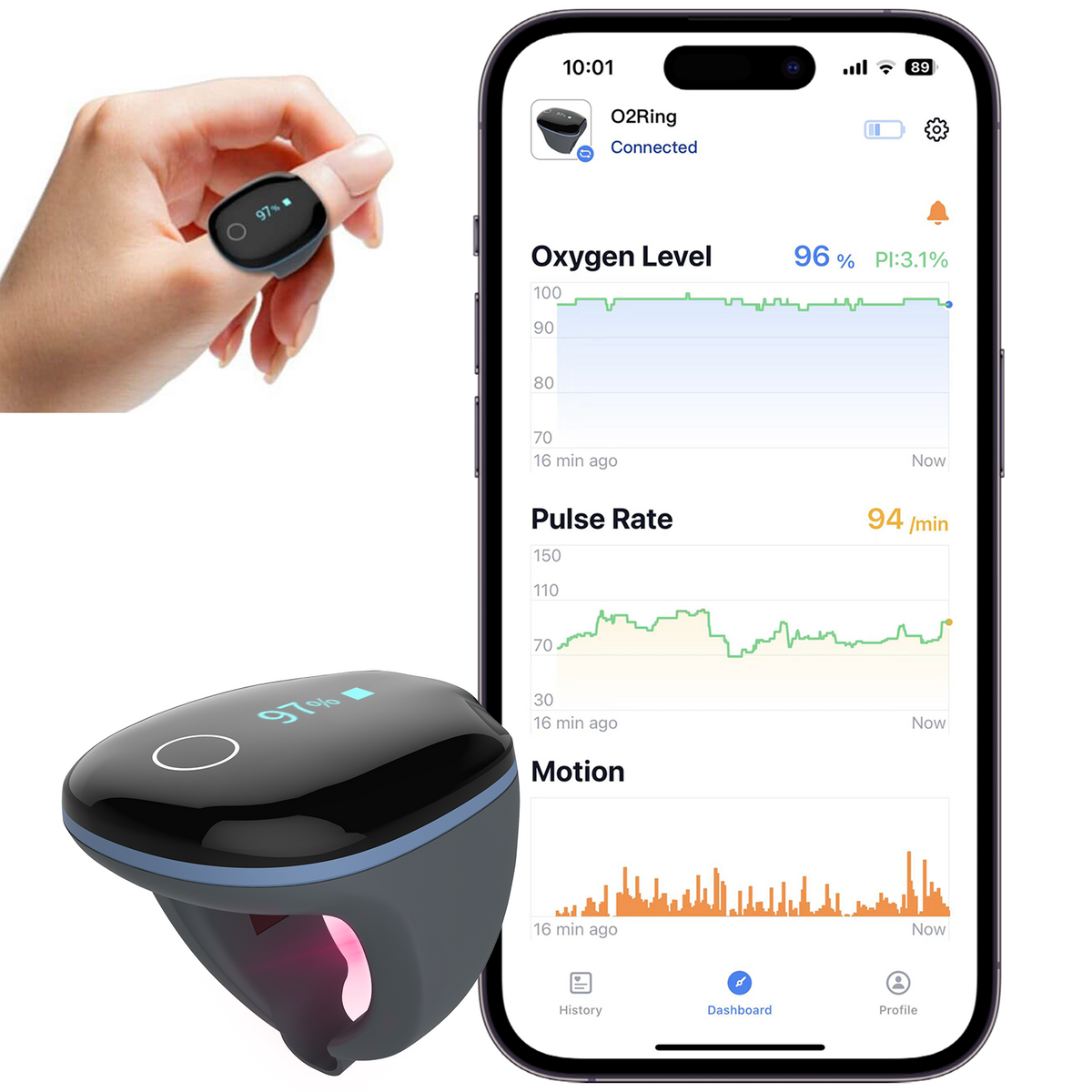
Most modern monitors, like the O2Ring, sync to an app that displays trends and events. Compare nights with and without alarms—do drops only occur when you toss or turn? This context makes it easier to identify false positives.
When to Trust an Alarm and When to Investigate Further
If your device reports a low oxygen event and you feel symptoms (dizziness, confusion, breathlessness), trust the alarm. If you feel well and the drop is brief, check for artifacts before worrying. Still, persistent or severe alarms always warrant a professional review.
Device Maintenance and Cleaning for Reliable Performance
- Clean the sensor window with a soft, lint-free cloth after each use.
- Keep devices charged—low battery can cause missed or false readings.
- Store in a dry, cool place away from direct sunlight to prevent sensor degradation.
- Inspect for cracks or worn straps that can impact fit.
Choosing the Right Monitoring Device for Your Needs
| Device | Best For | Key Limitation | Alarm Reliability | Actions | Product Page |
|---|---|---|---|---|---|
| Overnight SpO2 trend tracking; restless sleepers | Small size, easy to misplace | Very good (vibration on finger) | Product | ||
| Children, petite hands, better fit for small fingers | Not for medical diagnosis | Good (depends on fit) | Product | ||
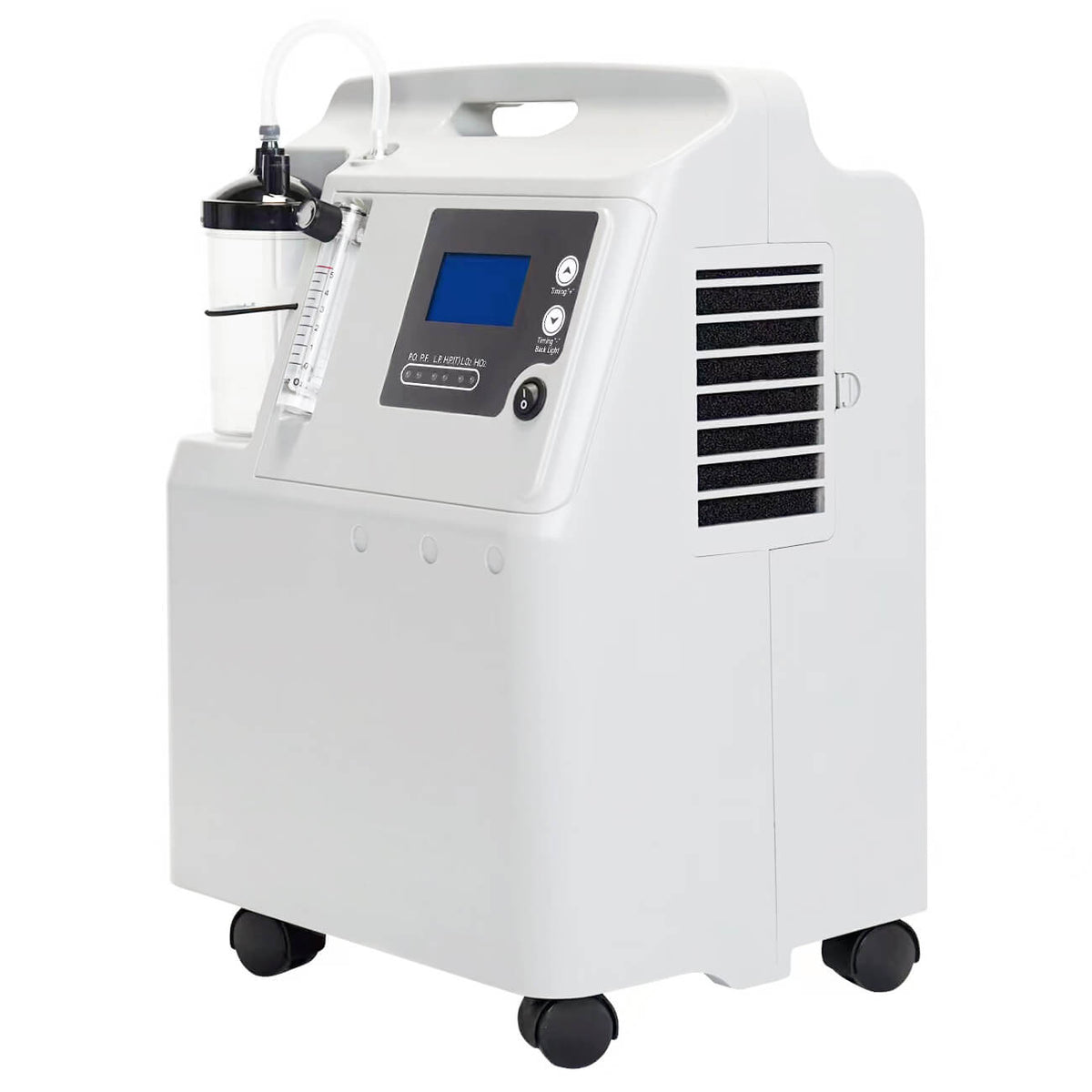
| Portable oxygen delivery, travel | Battery runtime | Excellent (medical-grade alarm system) | Product |


Who this is for
Anyone who relies on overnight oxygen tracking—especially those with sleep apnea, COPD, or using oxygen therapy—will benefit from these troubleshooting steps. If you’re shopping for your first monitor, take time to choose the right size for your finger and consider whether you need travel portability or just at-home use. If you’re unsure, start with a device that offers easy app reports and adjustable alarms, and upgrade only if your needs change.
When False Alarms Signal a Real Problem: Escalation Triggers
- Alarms persist despite perfect fit and device updates.
- You experience symptoms—shortness of breath, confusion, or chest pain.
- Your ODI or app data shows frequent, sustained drops not tied to movement.
In these cases, connect your home data with your healthcare provider. Many clinicians appreciate printed or exported device reports for context, especially when considering changes to therapy or further diagnostic testing.
Conclusion
Most false low oxygen alarms can be prevented with proper fit, careful device setup, and routine maintenance. The O2Ring Continuous Ring Oxygen Monitor is a solid choice for overnight trend tracking, especially if you move in your sleep. For those with smaller hands or pediatric needs, the Oxygen Monitor for Small Fingers offers a secure alternative. If mobility is your top priority, the 5L Oxygen Concentrator stands out for travel and daytime support. Whichever you choose, accurate home monitoring starts with the right device, a stable fit, and ongoing attention to detail.
Related reading
Sources and verification
Last checked: February 10, 2026
-
Wellue O2Ring Oxygen Monitor. Continuously Track Overnight Oxygen Levels w/ Vibration Alarm. Home Sleep Apnea Test. Sleep Oximetry Report.
I have bought two O2Ring and one is used every night. I also use a CPAP. Since I some times take my mask off during sleep, the O2Ring will wake me up when I stop breathing. The second Ring is a spare. I was looking for some easy way to get oxygen data reports for patients using a Mandibular Advancing Device. Patients can use this to confirm settings before going for another Home sleep or overnight lab testing for Sleep Apnea. This ring is easy to use , and with the app it automatically downloads its data into the app. The data summary is easy for a professional and patient to understand and easy for the patient to print out or to export. I do have a fear of it being easily lost- it is small, - it needs to have a tracker on it or at least be a neon color! I love these rings. I purchase two so I could monitor my oxygen 24/7. The best thing is the peace of mind I get from always knowing what my oxygen level is. I know when it's time to sit down and let my oxygen catch up and the Ring wakes me up at night if my oxygen falls too much so I can get up and get my heart pumping. This has given me the freedom to move again instead of being worried about my oxygen level all the time
-
Oxygen Monitor for Small Fingers | Wearable Pulse Oximeter | Wellue
*This device is for General Wellness & Sports & Aviation use only and not intended for medical use. *This device is for General Wellness & Sports & Aviation use only and not intended for medical use. This ring is designed to provide a better, more secure fit for smaller finger sizes.
-
5L Oxygen Concentrator (FDA-Cleared) Delivers Supplemental Oxygen 24/7. O2 Purity: 93%±3% (Flow Rate: 0.5-5 L/M). Home Use Medical-Grade. – Wellue
Our 5L Oxygen Concentrator, a medical-grade device, delivers supplemental oxygen up to 5 LPM continuously for those who need additional oxygen support, available 24/7, all year round. It can effectively treat patients with lung disorders such as COPD and pulmonary fibrosis, as well as cardiovascular diseases and other conditions associated with hypoxia. The 5 liter oxygen concentrator is an FDA-cleared product and comes with a 30-day money back guarantee. Within 30 days, you can get a full refund if you are unsatisfied with the item. The oxygen concentrator also comes with a worry-free 3-year warranty. O2Ring is a ring oximeter that can monitor your blood O2 levels and heart rate continuously overnight. Designed for convenience and comfort, this health tracker is an innovative tool to monitor the effectiveness of your daily oxygen therapy and record the long-term changes in your body. Now, you can get the O2Ring and 5L oxygen concentrator together at an exceptionally favorable price.
-
Medical Devices | FDA
The .gov means it’s official.Federal government websites often end in .gov or .mil. Before sharing sensitive information, make sure you're on a federal government site. The site is secure. The https:// ensures that you are connecting to the official website and that any information you provide is encrypted and transmitted securely. Helping innovators, providers, and patients reimagine the home as an integral part of the health care system.
-
High Blood Pressure - What Is High Blood Pressure? | NHLBI, NIH
An official website of the United States government Official websites use .gov A .gov website belongs to an official government organization in the United States. Secure .gov websites use HTTPS A lock ( A locked padlock ) or https:// means you’ve safely connected to the .gov website. Share sensitive information only on official, secure websites.
-
High blood pressure (hypertension) - Symptoms & causes - Mayo Clinic
High blood pressure is a common condition that affects the body's arteries. It's also called hypertension. If you have high blood pressure, the force of the blood pushing against the artery walls is consistently too high. The heart has to work harder to pump blood. Blood pressure is measured in millimeters of mercury (mm Hg). In general, hypertension is a blood pressure reading of 130/80 mm Hg or higher. The American College of Cardiology and the American Heart Association divide blood pressure into four general categories. Ideal blood pressure is categorized as normal.