
How to Fix Pulse Oximeter Inaccurate Readings: Practical Troubleshooting for 2026
Key Takeaways
- Accurate pulse oximeter readings are essential for safe and effective home oxygen and sleep therapy monitoring.
- Most inaccurate readings can be quickly resolved by checking device placement, battery level, and cleaning sensors.
- Persistent inaccuracies may indicate device malfunction or underlying health issues—know when to seek help.
- Choosing a quality device and maintaining it properly ensures reliable long-term use.
Introduction: Why Pulse Oximeter Accuracy Matters
For anyone monitoring oxygen at home—whether managing sleep apnea, COPD, or simply tracking wellness—reliable pulse oximeter readings are non-negotiable. Accurate numbers let you identify trends, respond promptly to low oxygen events, and share trustworthy data with your provider. The latest devices, such as wearable ring oximeters and wireless fingertip models, make overnight or spot checks seamless. But even the best tech can give misleading results if not set up or maintained properly.
What Accurate Readings Mean for Home Health Monitoring
Correct values help you judge when to adjust therapy, seek medical advice, or simply confirm that your oxygen remains stable during sleep, illness, or exercise. Inaccurate readings, on the other hand, can cause unnecessary anxiety or, worse, mask a real oxygen problem.
Common Devices: From Overnight Oxygen Tracking to Daily Spot Checks
Popular options range from all-night trackers like the Wellue O2Ring S Pulse Oximeter to portable fingertip models. Each has its strengths—and its quirks when it comes to accuracy.
Understanding Pulse Oximeter Inaccuracy
Typical Symptoms of Inaccurate Readings
- Readings that jump erratically within seconds
- SpO2 values significantly below expected levels (especially if you feel well)
- Pulse rates that are implausibly high or low
- Frequent error codes or loss of signal
Root Causes: Device, Environment, and User Factors
- Incorrect placement or poor fit (especially with rings or clips)
- Nail polish, artificial nails, or cold extremities affecting perfusion
- Movement during measurement—common during sleep or exercise
- Low battery or sensor contamination
- Bright ambient light shining on the sensor
Essential Pre-Checks: Safe, Quick Fixes Before Troubleshooting
Confirming Device Placement and Fit
Start simple: Ensure the sensor is snug but not overly tight. For rings, it should sit flat and stable; for fingertip models, fully cover the pad with your finger. Never force a fit—if it’s uncomfortable, readings will suffer.
Checking for Interference: Nail Polish, Cold Fingers, Movement
Remove nail polish or artificial nails. Warm your hands before testing—cold fingers can hinder blood flow and skew results. Stay still during measurement; movement is a leading cause of error, especially for overnight monitoring.
Battery Life and Device Power Considerations
Low battery is an often-overlooked culprit. Check your oximeter’s battery level and recharge or replace as needed. Some devices flash a warning, but not all do.
Step-by-Step Troubleshooting Guide
- Restart and Reposition: The First Response
Power cycle the device and carefully reposition it. Switch to a different finger or hand if needed. - Ensure Clean Sensors: Cleaning and Maintenance Tips
Wipe the sensor area gently with a soft, alcohol-dampened cloth. Let it dry fully before reuse. Built-up residue or dust can disrupt readings. - Check for Environmental Factors (Lighting, Temperature, Altitude)
Shield the device from direct sunlight or strong indoor lights. Test in a room-temperature environment for best results. - Verify with a Second Device or Manual Pulse Count
If you have another oximeter or a verified blood pressure monitor with a pulse reading (like the AirBP Plus), compare results. For pulse, you can also count your pulse manually and cross-check. - Consult the User Manual: Device-Specific Alerts or Error Codes
Some models, like the Wellue O2Ring S, will display error messages or vibrate to indicate issues. Reference the manual or app for specific troubleshooting guidance.
When to Escalate: Persistent Inaccuracies and Next Steps
How to Recognize Device Failure vs. Physiological Causes
If all troubleshooting steps fail, consider whether your device might be faulty. Consistently low or erratic readings across multiple users or fingers usually point to device problems. On the other hand, if your readings are low but you feel unwell (shortness of breath, chest pain), don’t assume it’s a device issue—seek medical advice.
When to Contact Customer Support or Seek Medical Advice
If the device is under warranty and still inaccurate after all checks, reach out to the manufacturer. For any health symptoms or concerning trends in your SpO2 or pulse, contact your healthcare provider promptly.
Choosing the Right Pulse Oximeter for Reliable Home Use
How to Choose a Pulse Oximeter for Overnight Monitoring
Prioritize comfort and secure fit—overnight trackers like the O2Ring S Pulse Oximeter are designed for all-night wear without pinching or slipping. Look for continuous data logging, vibration alerts, and easy app integration for reviewing trends. For spot checks, a fingertip model is more than adequate.
Features to Consider: Comfort, Data Tracking, App Integration
- Continuous tracking (for overnight use)
- Vibration or visual alerts for abnormal readings
- Intuitive companion app for data review and sharing
- Reliable battery life
Best Budget Pulse Oximeter for Home Use: What to Look For
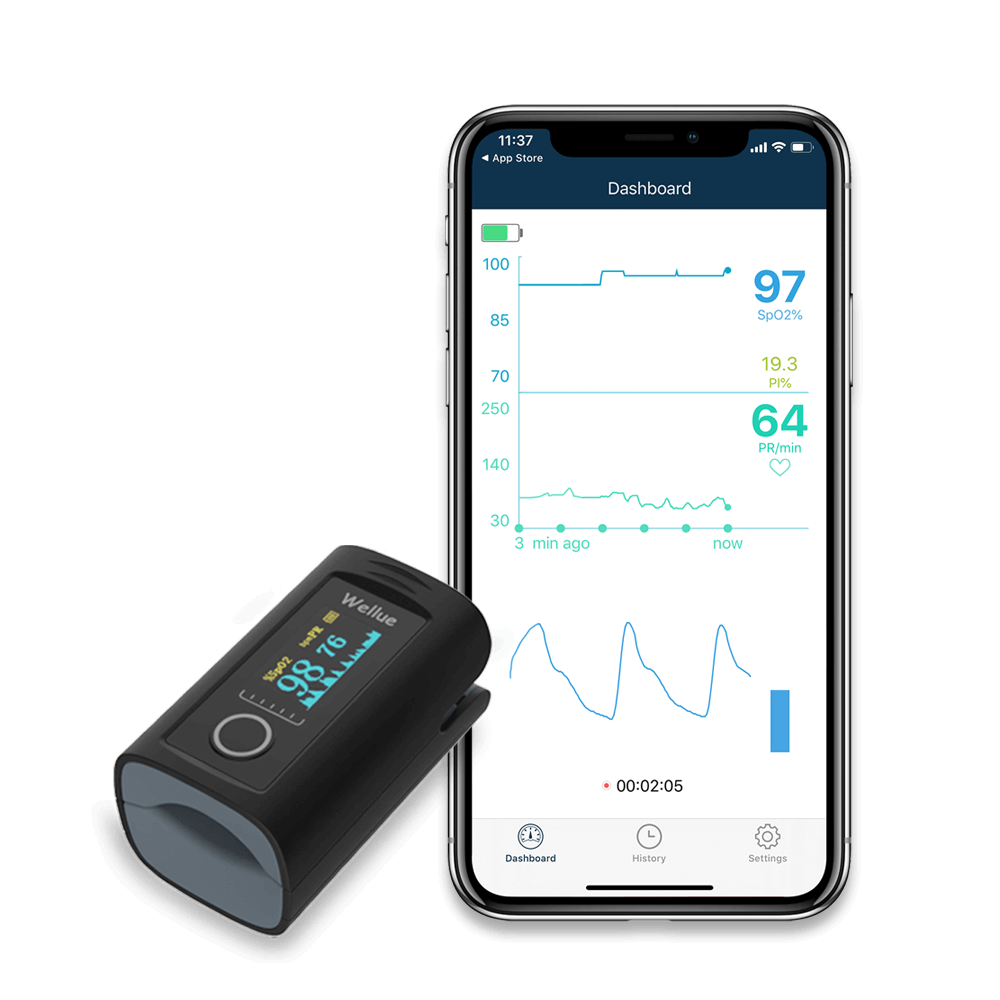
Choose a model that balances cost with reliability—FDA-cleared options from reputable brands are preferable. Even budget models like the Wellue Smart Fingertip Pulse Oximeter offer solid accuracy and Bluetooth app syncing for less than the price of a single office visit.

Interpreting Pulse Oximeter Reports and Pulse Rate Variability
How to Understand Pulse Rate Variability on Oximeter Devices
Pulse rate variability simply refers to the normal fluctuations in your pulse as you breathe or shift position. Most home devices display both SpO2 and pulse rate; look for steady trends rather than obsessing over single outlier readings. If your device tracks overnight data, review the trend graphs in the app to spot patterns.
Reading and Sharing Device Reports with Your Healthcare Provider
Choose devices that allow easy exporting of reports, like the O2Ring S. Bring or send these reports to your provider for a complete picture—don’t rely on a single measurement.
Proactive Maintenance: Keeping Your Oximeter Accurate Long-Term
Routine Device Cleaning and Storage
Wipe sensors regularly and store the device in a clean, dry case. Avoid extreme temperatures and humidity, both of which can degrade sensor performance over time.
Software Updates and Calibration Tips
Check your app or manufacturer’s website for firmware updates. While most home oximeters are factory-calibrated and don’t require user calibration, keeping software updated ensures optimal performance and compatibility.
Who This Is For
This guide is for anyone using a pulse oximeter at home—whether for sleep apnea tracking, COPD, or post-illness recovery. It’s especially useful for those who rely on overnight trend data or need to share reports with a healthcare team.
If You’re Unsure
If you’re wavering between devices, ask yourself: Do you need overnight tracking or just quick daytime checks? If comfort and all-night data matter, opt for a ring-style oximeter. For quick, on-demand readings, a fingertip model is more than enough. Review your top needs before you buy.
Key Takeaways
- Accurate device readings start with correct setup and routine cleaning.
- Most issues are fixable with basic checks—placement, power, and sensor cleanliness.
- Escalate to the manufacturer or your doctor if problems persist.
- Choose a device that matches your monitoring style and comfort preferences for best results.
Frequently Asked Questions (FAQ)
- Why does my pulse oximeter show different readings on different fingers? See FAQ below.
- Can nail polish or artificial nails cause inaccurate pulse oximeter results? See FAQ below.
- How often should I clean my pulse oximeter sensor? See FAQ below.
- What features should I look for when choosing a pulse oximeter for overnight monitoring? See FAQ below.
- When should I consult a doctor about my oxygen readings? See FAQ below.
Explore Related Topics
- Device Setup & How-To Guides
- Reading Device Reports
- Device Cleaning & Maintenance
- How to Fix Noisy Portable Oxygen Concentrator
- Blood Pressure Monitor Readings Meaning
- How to Choose a Pulse Oximeter for Overnight Monitoring
Product Spotlights
O2Ring S Pulse Oximeter
This compact wearable is purpose-built for overnight SpO2 and pulse tracking. Its soft, ring-style design minimizes sleep disruption, and vibration alerts wake you if your oxygen drops. The app makes it simple to review trends or share data with your provider. Best for users who need continuous night monitoring, one limitation is that it requires a smartphone for setup and data export. In practice, it’s ideal for sleep apnea management or anyone needing overnight peace of mind.
Smart Fingertip Pulse Oximeter
For those wanting a straightforward, portable solution, this fingertip model delivers reliable spot checks and short-term monitoring. Bluetooth integration lets you track results on your phone and export reports as needed. While app setup is required, most users find it quick and intuitive. This is a strong pick for families, athletes, or anyone needing to check oxygen levels on the go—just be sure the finger is warm and clean for best results.
When a pulse-ox number jumps from 94 to 96 or higher
- Keep the hand warm and supported, then remain still until the signal stabilizes.
- Remove nail polish or artificial nails only if the device instructions permit, and use the intended finger or site.
- Check sensor alignment, cable strain, battery, and whether the screen shows a stable signal or waveform.
- Repeat once and note symptoms, pulse, position, and time. Compare devices only if both are used correctly and are intended for the same purpose.
- If the signal remains poor, the device is damaged, or the result conflicts with symptoms, stop relying on it and contact a clinician.
The FDA lists poor circulation, temperature, skin pigmentation, skin thickness, tobacco use, and nail polish as factors that can affect accuracy. No single home number proves that oxygen is safe or unsafe, and changing oxygen settings from a fluctuating display can be dangerous.
Primary check: FDA pulse oximeter limitations · FDA home oxygen guidance.
Related reading
Sources and verification
Last checked: September 7, 2026
-
Wellue O2RingS | Upgraded Pulse Oximeter Ring with 24h Oxygen tracking | O2Ring S
☑ Checks your blood oxygen and heart rate every second. ☑ Vibration alerts for low blood oxygen or abnormal pulse rate. ☑ Wake up to easy-to-read reports you can trust, share, or bring to your doctor.
-
Wellue Bluetooth Wireless Fingertip Pulse Oximeter. iOS & Android APP. SpO2 & Pulse Rate. FDA Approved.
*Bluetooth Version is Currently Shipped in Random Color,Gray or Blue Got it on sale and the price was great. The display is nice, and for the price I expected the app to be garbage. But it synced quickly and painlessly. I'll also add that if you see the reviews complaining about the iOS app not having all the features, it did when I downloaded it. The only complaint I have is minor. Which is that for a right hand dominant person, you probably stick this on your left hand, and not all the screens render in a direction that reads right side up that way. If they could have it cycle between the screens AND mirrored versions of the screens it'd be great, but that's a minor gripe.
-
Wireless Blood Pressure Monitor. Support Free App works with Apple Health for easy management. – Wellue
*Only available in the USA and EU countries. *Only available in the USA and EU countries. A BP monitor to deliver accurate results.
-
Medical Devices | FDA
The .gov means it’s official.Federal government websites often end in .gov or .mil. Before sharing sensitive information, make sure you're on a federal government site. The site is secure. The https:// ensures that you are connecting to the official website and that any information you provide is encrypted and transmitted securely. Helping innovators, providers, and patients reimagine the home as an integral part of the health care system.
-
High Blood Pressure - What Is High Blood Pressure? | NHLBI, NIH
An official website of the United States government Official websites use .gov A .gov website belongs to an official government organization in the United States. Secure .gov websites use HTTPS A lock ( A locked padlock ) or https:// means you’ve safely connected to the .gov website. Share sensitive information only on official, secure websites.
-
High blood pressure (hypertension) - Symptoms & causes - Mayo Clinic
High blood pressure is a common condition that affects the body's arteries. It's also called hypertension. If you have high blood pressure, the force of the blood pushing against the artery walls is consistently too high. The heart has to work harder to pump blood. Blood pressure is measured in millimeters of mercury (mm Hg). In general, hypertension is a blood pressure reading of 130/80 mm Hg or higher. The American College of Cardiology and the American Heart Association divide blood pressure into four general categories. Ideal blood pressure is categorized as normal.