Quick take
We break down who this device is best for, what it measures, and how it compares in the market.
CPAP Humidifier Not Heating? Step-by-Step Fixes for 2026
Key Takeaways
- Most CPAP humidifier heating issues are fixable with careful checks, cleaning, or a simple reset.
- Room temperature, water type, and settings are common culprits—always check the basics first.
- If the issue persists, professional repair or upgrading to a premium device may be warranted.
- Regular maintenance and reading device reports are your best defense against future failures.
Introduction
When your CPAP humidifier stops heating, the result isn’t just a colder night—it’s a real threat to your comfort and therapy success. Humidification plays a crucial role for everyone, but especially for CPAP side sleepers who often notice dryness or nasal discomfort most acutely. If you’ve ever woken up with a sore throat, dry nose, or simply felt that your sleep therapy is less effective, a non-heating humidifier could be to blame.
Why CPAP Humidifier Heating Matters for Sleep Therapy
Heated humidification prevents airway dryness, reduces irritation, and can make a tangible difference in nightly therapy adherence. For many, especially those comparing CPAP vs APAP machine comfort, humidification is non-negotiable. The right humidity level can also help mask leaks and improve experience for side sleepers.
Understanding Your CPAP Humidifier
How Heated Humidifiers Work in CPAP, APAP, and BiPAP Machines
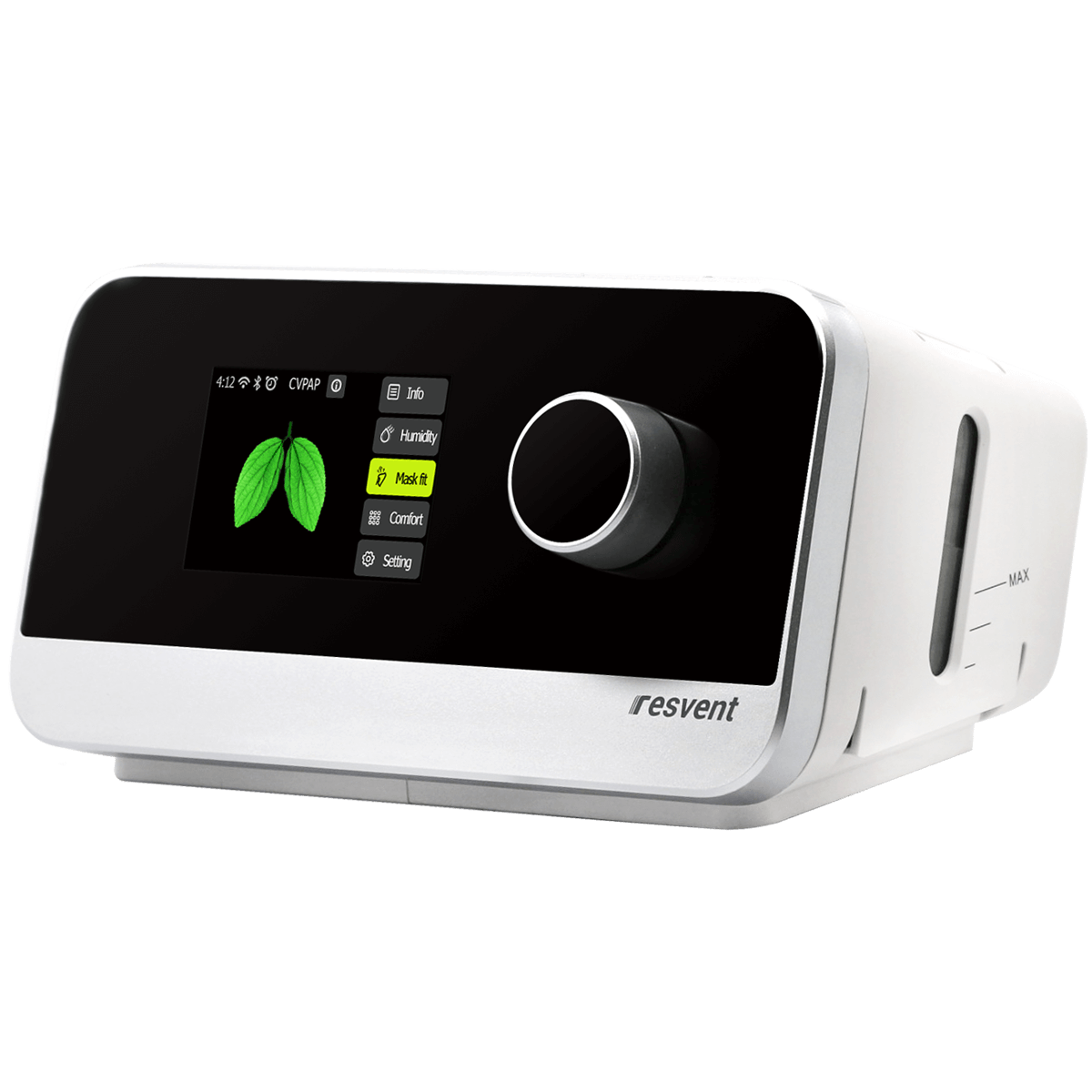
Modern CPAP, APAP, and BiPAP devices, such as the iBreeze Auto-CPAP/APAP, use a heater plate beneath a water chamber to add moisture to the airflow. These systems rely on precise sensors and firmware to maintain comfort. Features like flexible pressure settings and ramp controls allow you to tune therapy to your needs.
Key Features: Flexible Pressure, Ramp Settings, and More
Auto-adjusting pressure, quiet operation, and data tracking are now standard. Ramp settings let you ease into therapy, while humidifier controls (sometimes automatic) help maintain optimal moisture—even as room conditions change.
Quick Checks Before You Troubleshoot
- Is the Machine Plugged In and Powered? Verify the power cord is secure at both ends and the outlet is live. If the device isn’t lighting up, try another outlet.
- Water Level and Chamber Placement: The water chamber must be filled to the recommended line and seated correctly. Most machines won’t heat if the chamber is missing or misaligned.
- Settings Review: Is Humidifier Mode Enabled? Even advanced machines like the iBreeze require you to select a heat/humidity level. Check your menu and confirm the humidifier is active.
- Is Your CPAP Machine Model Relevant? Some basic models may not include heated humidification or may require separate accessories. CPAP vs APAP machine comparison: APAP units often offer more granular control and smarter humidification.
Root-Cause Troubleshooting Flow
- Inspect for Damage or Loose Connections
Carefully examine the power cord, chamber, and device body for cracks, corrosion, or obvious wear. - Evaluate Environmental and User Factors
Room temperature below 60°F or using cold tap water can limit heating effectiveness. Always use distilled water for optimal performance and device longevity. - Check for Error Codes or Indicator Lights
If your machine displays an error, consult the manual or device app for troubleshooting codes. Many models now flag humidifier faults directly. - Test with Alternate Outlets or Power Supplies
Power supply issues are a frequent culprit. Try a different outlet or, if available, a spare power brick. - Compare with Other Devices or Accessories
If you have access to another humidifier chamber or even a different machine (such as APAP vs BiPAP), swap components one at a time to isolate the fault. This is also a chance to notice differences in humidifier reliability between cheap vs premium CPAP machine options. - When to Escalate
Persistent errors, physical damage to the heater plate, or lack of response after all above steps are clear triggers for contacting support or seeking repair. Do not operate a damaged humidifier.
Common Fixes for CPAP Humidifier Not Heating
- Resetting Your Device: Unplug from power for 60 seconds, then reconnect. This simple reset clears many glitches.
- Cleaning and Maintenance: Mineral build-up or debris on the heater plate can block efficient heating. Clean with distilled water and, if allowed by your manufacturer, a mild vinegar solution. Always allow parts to dry fully before reuse.
- Swapping Out the Water Chamber or Heater Plate: If your model allows, try a different chamber. Replacement parts are often available for premium brands.
- Firmware & Software Updates: Some devices (especially newer APAP models) can receive updates that fix bugs or improve humidifier function. Check with your manufacturer or app for instructions.
- Cheap vs Premium CPAP Machine Differences: Budget models may have less robust heating elements, thinner seals, or fewer diagnostics. If you find yourself troubleshooting often, consider an upgrade for reliability.
Maximizing Comfort: Side Sleeper Tips and Machine Settings
- Best Practices for CPAP Side Sleepers: A well-sealed mask and stable hose routing are key. If you notice mask leaks or cool air, check that your humidifier is set appropriately and that your pillow isn’t blocking airflow.
- CPAP vs BiPAP Comfort Comparison: Both can offer heated humidification, but BiPAP may provide more comfort for certain users at higher pressures. Humidifier function is equally vital for both.
- Beginner’s Guide: CPAP Buying Guide for Humidifier Features: Look for models that offer adjustable humidity levels, clear chamber access, and data reporting. Auto-CPAP/APAP machines like the iBreeze stand out for their balance of comfort and control.
Reading Device Reports: Is Your Humidifier Performing?
Most modern CPAP and APAP machines log detailed data about humidifier use, heating cycles, and even error states. Access your device’s report (often via app or SD card) to check for anomalies—like unexplained power cycles or frequent low-water warnings. If you spot repeated humidifier errors, document them before calling support for faster resolution.
Device Cleaning & Maintenance: Prevention Tips
- How Often to Clean: At minimum, clean your humidifier chamber weekly and inspect the heater plate monthly.
- Safe Cleaning Methods: Use only distilled water and avoid harsh chemicals. Let all parts air dry fully before reassembling.
- Routine Maintenance: Replace chambers that show clouding, cracks, or mineral scale. Schedule annual professional maintenance if your device is out of warranty.
When to Replace or Upgrade: Cost vs Value
- Signs It’s Time for a New Humidifier or Machine: Recurring heating failures, persistent leaks, or outdated firmware may signal it’s time to upgrade. If your current device lacks key comfort features or is out of warranty, consider a replacement.
- CPAP Machine Cost vs Value: While premium models have a higher upfront cost, their durability and advanced diagnostics often save money and frustration over time.
Who This Is For
This guide is tailored for anyone using a CPAP, APAP, or BiPAP device at home—whether you’re a side sleeper, a new user navigating your first machine, or someone comparing CPAP vs APAP comfort for better sleep. If you value comfort, reliability, and clear troubleshooting steps, you’ll find actionable advice here.
If You’re Unsure: Simple Decision Cues
If your CPAP humidifier isn’t heating and you’ve checked power, water, and settings, try a device reset and basic cleaning first. Persistent issues, especially alongside error codes or visible damage, are your cue to contact support or consider upgrading. Unsure whether to replace? If troubleshooting has become routine, it’s time to weigh the cost vs value of a new model.
Product Spotlights
The iBreeze Auto-CPAP/APAP is best for users who want modern comfort features and reliable humidification with minimal fuss. Its auto-adjusting pressure and intuitive controls make it a practical fit for side sleepers and those new to therapy. The device tracks therapy data over time, though setup may require a careful reading of the manual if you’re new to CPAP. In nightly use, it stands out for its quiet operation and straightforward app integration.
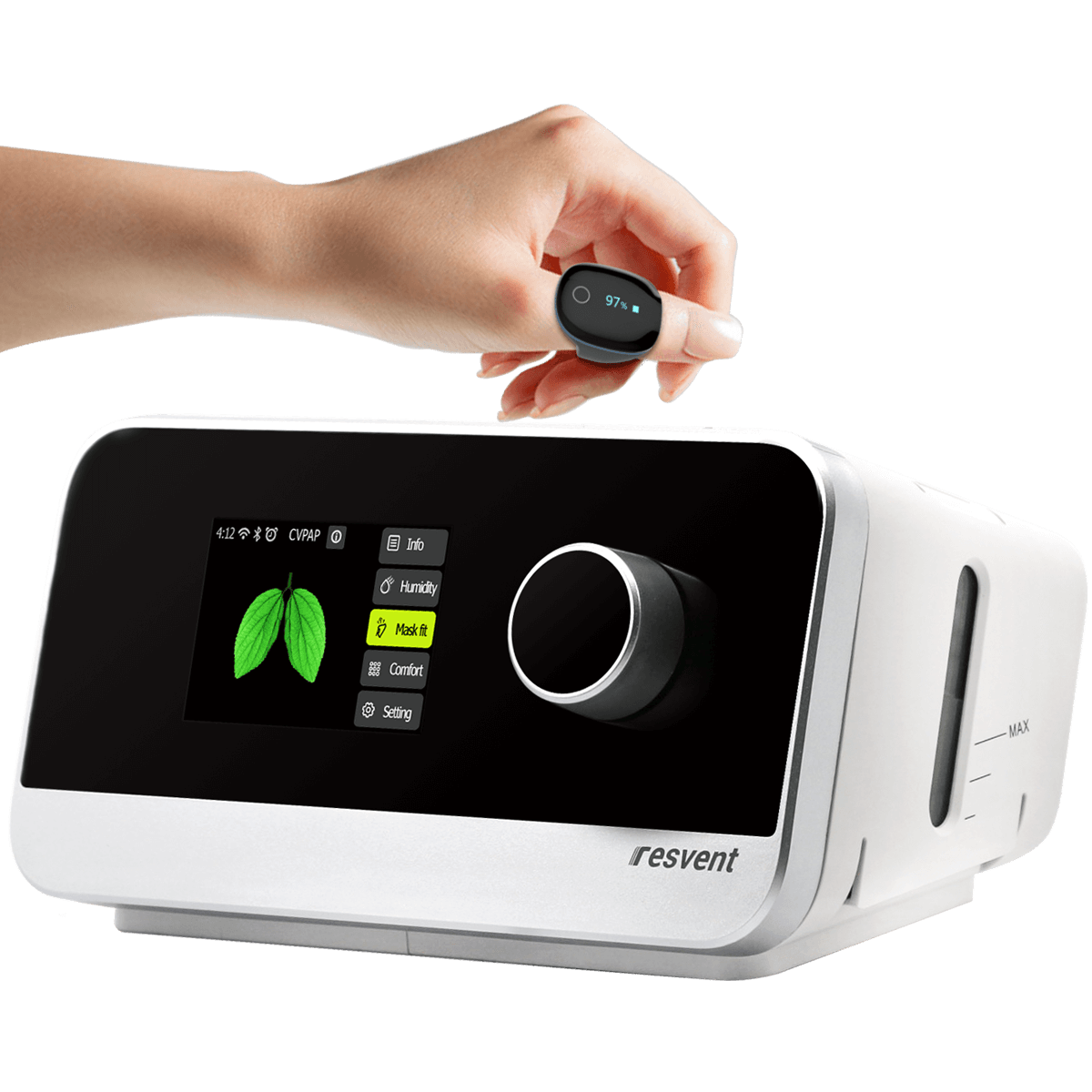 If you want to pair sleep therapy data with oxygen tracking, the iBreeze Auto-CPAP/APAP + O2Ring bundle is a clear upgrade path. This combo is ideal for those managing sleep apnea and seeking greater insight into nightly oxygen trends. While the O2Ring adds complexity, it opens up a new layer of actionable feedback for fine-tuning your comfort and humidification settings.
Conclusion
Most CPAP humidifier heating issues are resolved by addressing power, cleaning, and settings—saving you time and boosting therapy comfort. If your device remains unresponsive or fails repeatedly, don’t hesitate to escalate or upgrade. For the best mix of comfort and data-driven insights, the iBreeze Auto-CPAP/APAP is a strong choice. If you want to track your oxygen trends alongside sleep therapy, consider the O2Ring bundle as a future-proof alternative.