Quick take
We break down who this device is best for, what it measures, and how it compares in the market.
Keeping your heart rhythm in check at home is no longer a luxury—it's an essential part of proactive health management for many. But recording your ECG is only half the story; being able to share accurate, readable reports with your doctor is where true value lies. The best home ECG monitors today combine reliable measurement with simple, secure report export options, turning your living room into a bridge to your healthcare team.
Key Takeaways
- Look for ECG monitors with seamless report export options, such as PDF or app-based sharing, to simplify communication with your doctor.
- Devices with integrated data management and AI analysis can help you track and interpret your heart health more effectively.
- Always follow secure practices when sharing sensitive ECG data with healthcare providers.
- Choose a monitor that balances advanced features with easy-to-use interfaces for everyday home use.
Understanding Home ECG Monitoring and Report Sharing
Why Monitoring Your Heart Rhythm at Home Matters
Arrhythmias and other heart rhythm changes can occur outside of clinic visits, sometimes without symptoms. Home ECG monitors let you capture these events as they happen, giving your doctor a more complete picture of your heart's behavior. This is especially useful if symptoms are intermittent or hard to reproduce during brief office exams.
The Value of Easy ECG Data Sharing with Healthcare Providers
A home ECG is most useful when its data can be shared clearly and quickly. Devices that allow you to export your results as a PDF or via a dedicated app make it easier for your doctor to review your findings, spot trends, and make timely recommendations. Sharing ECG data with your healthcare provider can lead to more informed decisions and tailored care.
Essential Features in ECG Monitors for Seamless Report Export
Report Formats: PDF, XML, DICOM, and More
The best home ECG monitors for report sharing support widely accepted file formats. PDF is almost universally readable and easy to email or upload. More advanced systems may offer XML and DICOM exports for integration with hospital systems, but for most home users, PDF is ideal.
Smartphone App Connectivity and Cloud Sync Options
App-enabled monitors can sync ECG data directly to your phone. From there, you can securely send reports, track trends, or even set alerts. Some devices also offer cloud sync, letting you store and access ECG data across devices, or grant your doctor access to view your reports remotely.
User-Friendly Data Management and Export Tools
Look for devices that let you export with a few taps—no complicated software or cables required. Bonus points for automatic report generation and clear visuals that make it easy for both you and your doctor to interpret the results.
Top Home ECG Monitors with Easy Report Export Functions
Wellue Checkme Lite: Integrated ECG and Oximetry Report Sharing
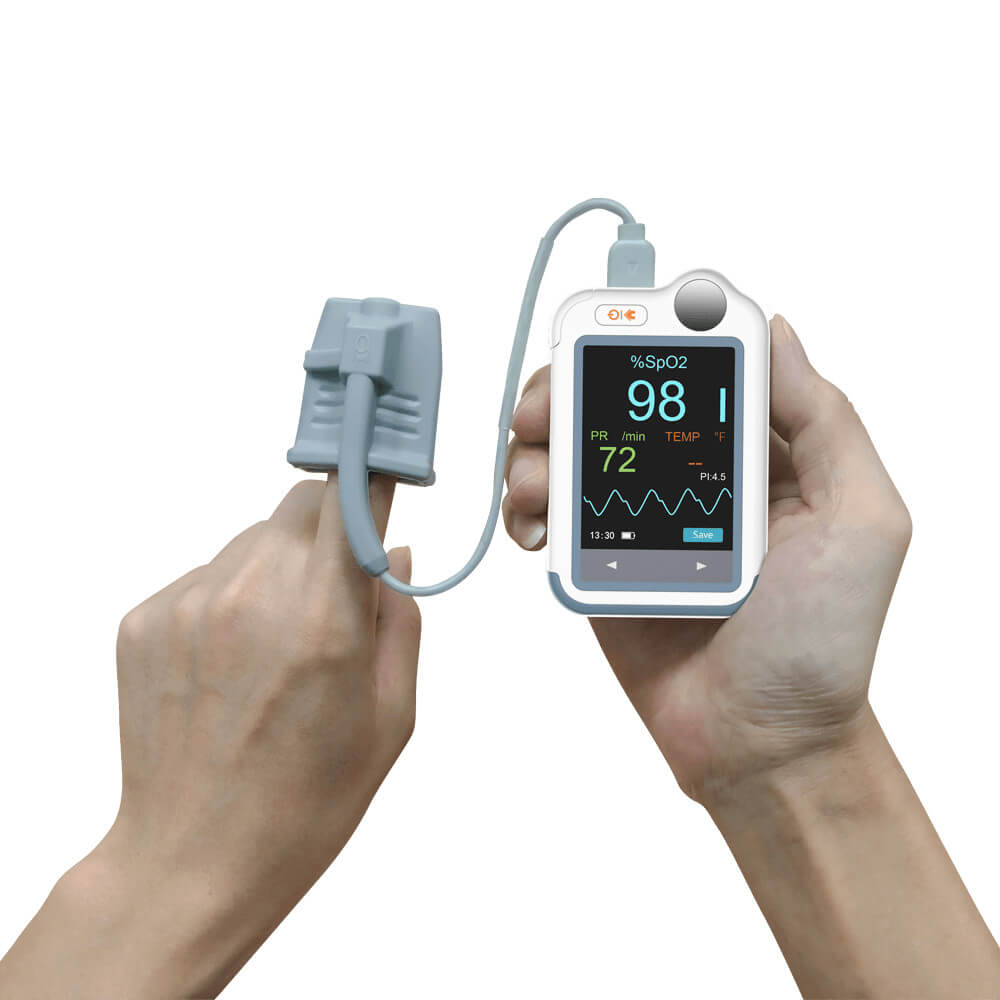
For those who need quick, on-demand ECG spot checks with simple sharing, the Wellue Checkme Lite stands out. It captures 30-second readings with just a hand touch and integrates pulse oximetry for a broader view of your vitals. Reports can be exported via the companion app and shared as PDFs, making it ideal for emailing results to your provider after each check. One limitation is that it’s best for rhythm snapshots, not long-term monitoring. For anyone tracking occasional palpitations or new symptoms, it’s an accessible, no-fuss choice.
Wellue 24/72-Hour ECG Recorder: AI-Powered Insights and Doctor-Ready Reports
 If you’re looking to capture hard-to-catch arrhythmias that won’t show up in a brief spot check, the Wellue ECG Recorder steps up. It continuously monitors your rhythm for 24 or 72 hours, flags potential issues with built-in AI analysis, and generates detailed, sharable reports. Reports are available as PDFs and can be exported straight from the device, making sharing ECG data with your healthcare provider straightforward. While setup and electrode placement take a bit more time, it’s the go-to choice when you need a deep dive into your heart’s activity—especially if your doctor wants to review hours of data at once.
ECG-1000 ECG Data Management System: Advanced Export and Batch File Sharing
 For users managing multiple ECG records or needing advanced export formats, the ECG-1000 Data Management System is worth a look. It supports batch file imports, detailed data review, and exports to PDF, XML, DICOM, and more. While it’s more involved to set up and is best paired with compatible Biocare ECG machines, it’s unmatched for users who need to archive and send large volumes of ECG data. Think of it as a personal ECG vault—best for those who want hospital-level data control and sharing flexibility from home.
Comparison Table: Best ECG Monitors for Sharing Data with Your Doctor
| Product | Best For | Report Export Formats | App/Cloud Support | AI Analysis | Ease of Use | Links |
|---|---|---|---|---|---|---|
| Quick spot checks, basic sharing | PDF (via app) | App sync | No | Very easy | ||
| Continuous monitoring, AI insights | No (direct export) | Yes | Moderate (setup required) | |||
| Batch export, advanced users | PDF, XML, DICOM, BMP, JPG | No | Yes (data management) | Advanced |
Who This Is For
If you want an ECG monitor with easy report export, these devices are for you. They’re practical for anyone tracking new symptoms, managing chronic arrhythmia, or needing to share ECG data with a healthcare provider between appointments. Tech experience isn’t required—just a willingness to follow a few simple steps.
How to Share ECG Reports Securely with Your Healthcare Provider
Best Practices for Protecting Your Health Data
When sharing ECG reports, always use secure email or a patient portal provided by your doctor. Avoid sending sensitive data over unsecured channels. Check that exported files are clear, complete, and labeled with your name and date.
Step-by-Step Guide to Exporting and Sending Reports
- Complete your ECG reading as instructed by your device.
- Export the report as a PDF or preferred format via the app or device menu.
- Double-check that the report includes all necessary details.
- Send the file using your doctor’s recommended method (secure email, portal, or printed copy).
Reading and Understanding Your ECG Reports at Home
Common Metrics and What They Mean
Most reports include heart rate, rhythm regularity, and sometimes flags for irregular events. While these are valuable for tracking, interpretation should always be left to your healthcare provider.
When to Contact Your Doctor with Your Results
If your device flags new or worsening irregularities, or if you experience symptoms like palpitations, dizziness, or chest discomfort, share your report and contact your provider for guidance.
Tips for Choosing and Maintaining Your Home ECG Device
Evaluating Compatibility and Support
Ensure your device works with your smartphone or computer and that you can access support if you run into issues. Check for updates to device firmware and apps regularly.
Routine Device Cleaning and Data Privacy
Wipe down your ECG monitor as instructed after each use, and store it securely. For privacy, keep exported ECG files on password-protected devices or encrypted storage.
If You’re Unsure: Quick Decision Cues
If you need simple, on-demand ECGs and want to email your doctor, the Wellue Checkme Lite is hard to beat. For longer-term monitoring and more detailed reports, go with the 24/72-Hour ECG Recorder. Advanced users managing lots of data should consider the ECG-1000 system.
Conclusion: Empowering Your Heart Health with the Right ECG Monitor
Sharing your ECG data with your healthcare provider shouldn’t be complicated. For most, the Wellue Checkme Lite offers the fastest, most user-friendly path to capturing and sharing reports. If you need deeper analysis or continuous data, the 24/72-Hour ECG Recorder is a robust alternative. Whichever you choose, you’re taking a confident step in managing your heart health from home.